
Guide
Prompt Testing Guide for LLM Features
How to evaluate prompt variants before release and avoid regressions when prompts, models, datasets, or scoring criteria change.
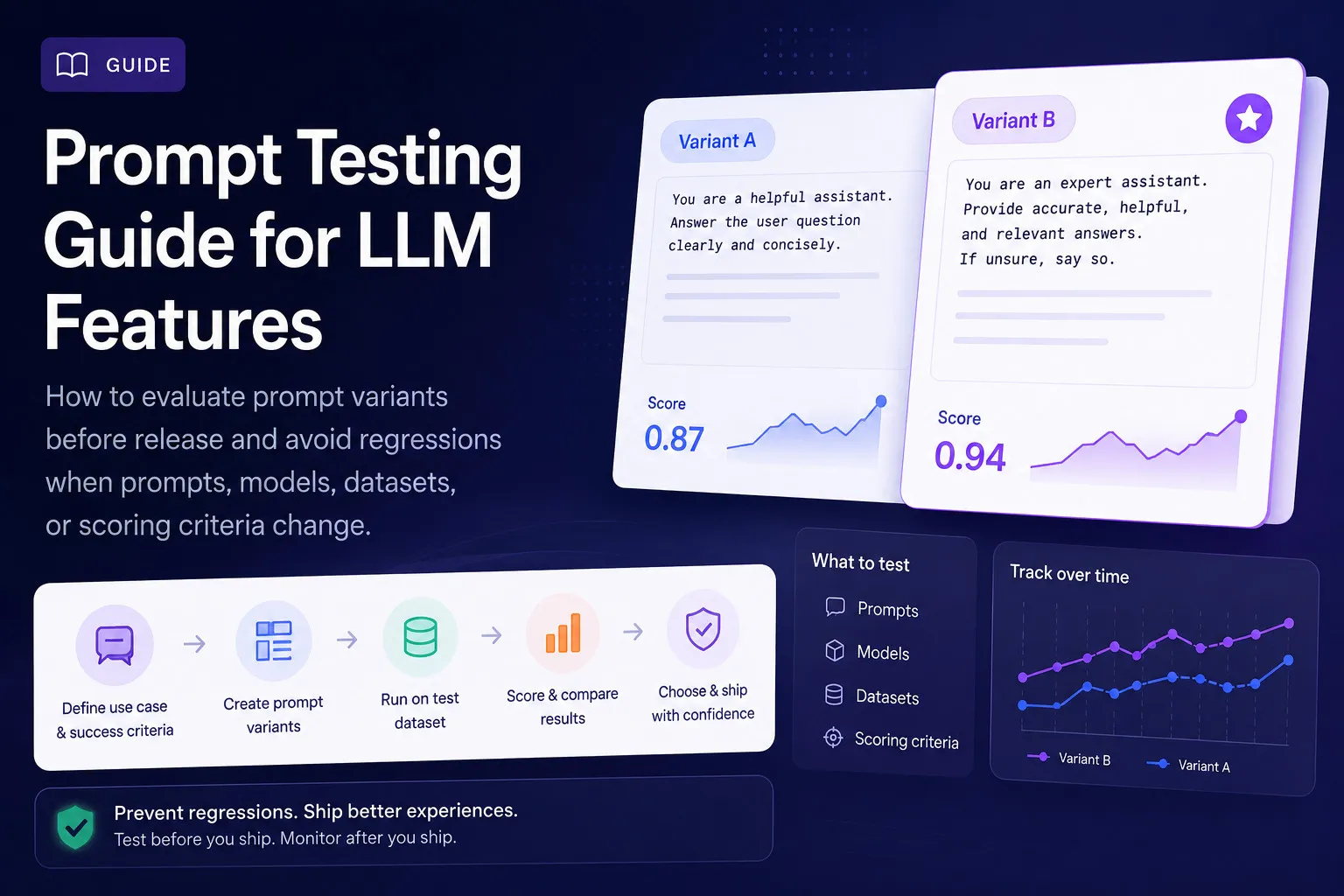
Prompt engineering is iterative. You write a prompt, test it, iterate, and test again. But if you're testing manually — running a few examples, checking outputs by eye — you'll miss failure modes that only appear at scale. Prompt testing is about making that loop systematic, measurable, and fast.
What is Prompt Testing?
Prompt testing is the process of running a prompt against a representative dataset and scoring the outputs to determine whether the prompt meets quality thresholds. Unlike ad-hoc testing ("this looks good enough"), prompt testing is:
- Repeatable — Run the same test multiple times and get consistent results
- Measurable — Scores across defined dimensions, not gut feelings
- Comparable — Score variants A/B against each other
- Regression-aware — Catch quality drops when you change prompts, models, or datasets
Why Prompt Testing Matters for Production AI Features
AI features fail silently. Unlike crashes or errors, a bad AI output often looks plausible. Users might not complain — they might just stop trusting the feature. Structured prompt testing catches these failures before release:
- Hallucinations that could erode user trust in medical or financial contexts
- Incomplete summaries that miss key information users need
- Outputs that are faithful but not actionable
- Regressions when you change a prompt to fix one edge case but break others
To understand the quality dimensions that matter, read our four scoring metrics breakdown.
What to Test: Quality, Completeness, Usefulness, Hallucination Risk
When testing prompt variants, evaluate across all four dimensions:
Faithfulness — Is it true to the source?
Check whether the output introduces claims, events, or emotional inferences not present in the input.
Completeness — Was nothing important missed?
Check whether key points, decisions, or context from the input appear in the output.
Actionability — Can you use it?
Check whether the output provides clear next steps, commitments, or decisions — not just information.
Hallucination Risk — How much is made up?
Check the overall proportion of the output that is fabricated or unsupported.
How to Create Prompt Variants
A prompt variant is a combination of a prompt template and a generation configuration. To compare meaningfully, you need to vary one thing at a time:
- Prompt content — Different instructions, examples, or framing
- Generation config — Temperature, max tokens, sampling mode
- Model — Apple Foundation Models vs GPT-4o vs Claude
Keep everything else constant when comparing. When you find a winning variant, use it as the new baseline for the next iteration.
How to Build a Reusable Evaluation Dataset
A good evaluation dataset is the foundation of useful prompt testing. It should:
- Cover the distribution of real inputs your feature will receive
- Include known edge cases and failure modes
- Be large enough for statistical significance (50+ samples for meaningful conclusions)
- Have metadata tags for targeted analysis (complexity, clarity, speaker count)
Start with 15 synthetic samples for rapid iteration, then grow to 50+ with real samples. Build your gold dataset with the right structure.
How to Compare Prompt Outputs with an LLM Judge
Use an LLM as a judge to evaluate outputs systematically. The judge scores each output across the four metrics using a scoring guide that matches your domain.
Run the same dataset through all variants, then compare aggregate scores in the leaderboard. Look for:
- Which variant has the highest overall score?
- Are there trade-offs? (e.g., higher faithfulness but lower actionability)
- Which specific metrics does each variant excel at?
Learn how to set up LLM-as-a-judge evaluation with the right scoring guide for your domain.
How to Track Prompt Regressions Over Time
Regressions happen when a change to fix one problem creates another. To catch regressions:
- Keep a baseline variant that represents your current production prompt
- Run your full evaluation suite on every change before merging
- Set minimum score thresholds — if a variant falls below, it doesn't ship
- Track scores in the leaderboard over time to see trends
Use create your first evaluation test as a starting point for setting up this workflow.
Run the Workflow in LLM Eval Suite
LLM Eval Suite is purpose-built for prompt testing on macOS. It combines dataset management, prompt variant comparison, LLM-as-a-judge scoring, and leaderboard tracking in a single app.
Configure your judge provider (MiniMax recommended for Apple FM evaluation), import your dataset, define your variants, and run. Compare results in the leaderboard to see which variant wins.
Get Started
Ready to make your prompt testing systematic? Create your first evaluation test with LLM Eval Suite, or learn more about LLM Eval Suite as an evaluation tool.
Try LLM Eval Suite
Download from the Mac App Store and start testing your prompt variants with structured scoring.
Download on Mac App Store