Guide
How to Choose the Right Scoring Guide for Your AI Use Case
A scoring guide shapes how strictly your judge evaluates outputs. Learn which guide fits your domain and how strictness levels affect your scores.
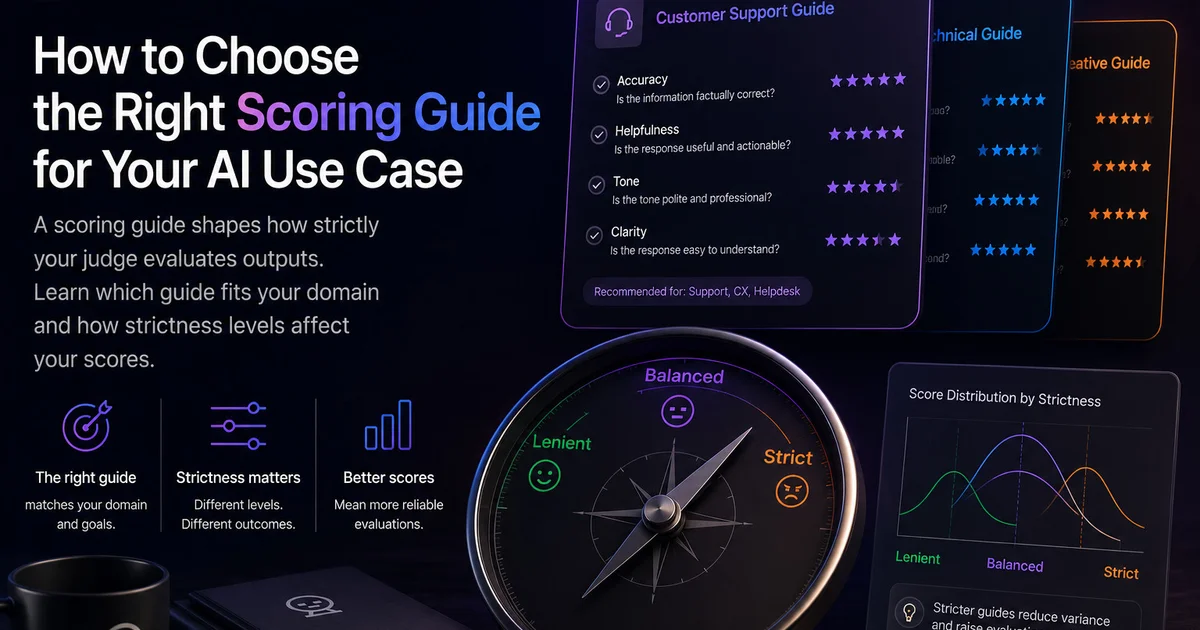
A scoring guide is the rubric that tells your judge how to evaluate outputs. It's not just about the four metrics — it's about the specific criteria, examples, and boundaries that make those metrics meaningful for your domain.
Choose the wrong guide, and your scores won't reflect real-world performance. Choose the right one, and you'll get actionable insights that translate directly to better user experiences.
Built-in Scoring Guides
LLM Eval Suite ships with three scoring guides designed for common use cases:
voice-transcript-standard
Optimized for voice journaling, voice memos, and transcript summarization tasks.
Use when:
- • Summarizing voice recordings
- • Transcribing and condensing spoken content
- • Processing voice notes or journal entries
Key criteria:
- • Emphasizes factual grounding in the transcript
- • Penalizes invented emotional interpretations
- • Rewards capturing speaker intent and key events
meeting-notes-standard
Optimized for meeting notes, action item extraction, and multi-party conversations.
Use when:
- • Extracting action items from meetings
- • Summarizing multi-speaker conversations
- • Creating follow-up notes from calls
Key criteria:
- • Emphasizes actionability and next steps
- • Rewards correct attribution to speakers
- • Penalizes missing decisions or commitments
minimal
Generic fallback guide for general-purpose text generation.
Use when:
- • No domain-specific guide fits your use case
- • You're doing exploratory evaluation
- • General text quality matters most
Key criteria:
- • Basic relevance and coherence
- • Minimal domain-specific rules
- • Broad applicability
Strictness Levels
Beyond the guide itself, strictness levels adjust how boundaries are applied (Raj et al., RAGAS, 2023):
"Strictness levels should be calibrated against human disagreement rates to avoid over-penalization — applying strict mode to outputs that human evaluators rate as acceptable introduces systematic bias."
Lenient
Scores tend higher. Use when your baseline is underperforming and you want to see gradual improvement.
Balanced
Default setting. Good for most evaluation scenarios.
Strict
Scores tend lower. Use when you need high accuracy and can't tolerate false positives.
Research shows that lenient vs strict scoring produces 15–25% score variance on identical outputs — using a consistent strictness level is critical for comparable results across runs.
Matching Guide to Use Case
Here's a quick reference for matching guides to common AI features:
| AI Feature | Recommended Guide | Strictness |
|---|---|---|
| Voice journal summarization | voice-transcript-standard | Balanced |
| Voice memos to notes | voice-transcript-standard | Balanced |
| Meeting transcription | meeting-notes-standard | Strict |
| Call center summarization | meeting-notes-standard | Balanced |
| Medical visit notes | voice-transcript-standard | Strict |
| General text generation | minimal | Balanced |
Custom Scoring Guides
For specialized domains like medical documentation, legal notes, or financial summaries, you may need a custom scoring guide. A custom guide lets you:
- Define domain-specific criteria and acceptable terminology
- Add examples that reflect real edge cases in your field
- Adjust weights based on what's most important for your users
- Include safety checks relevant to your compliance requirements
When creating custom guides, include 5-10 example outputs with expected scores to calibrate the judge.
Testing Your Guide
Before running full evaluations, test your scoring guide on a small sample:
- Run evaluation on 5-10 samples
- Review the judge's commentary for each score
- Check if scores match your expectations
- Adjust guide criteria if judge is misaligned
- Repeat until scores are consistent and meaningful
Get Started
Ready to evaluate with the right scoring guide? Create your first test using LLM Eval Suite and select the guide that matches your domain.
Try LLM Eval Suite
Download from the Mac App Store and start evaluating with domain-specific scoring guides.
Download on Mac App Store